BetterBite
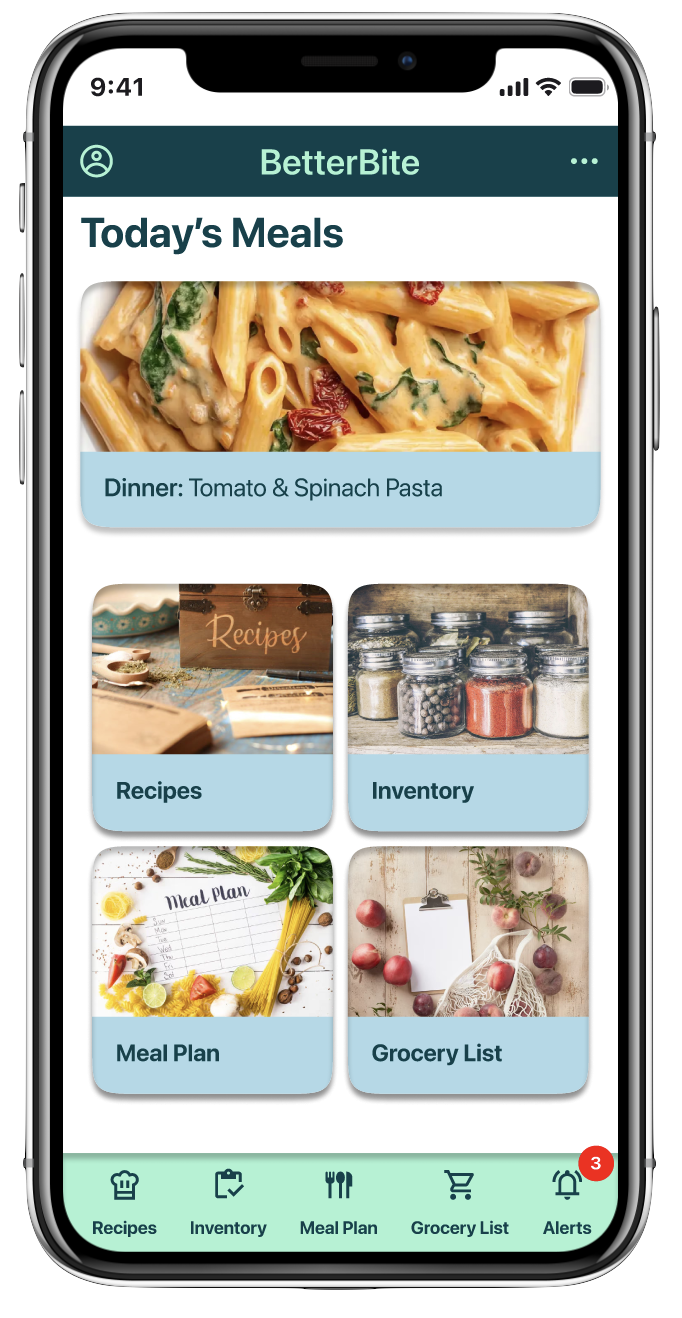
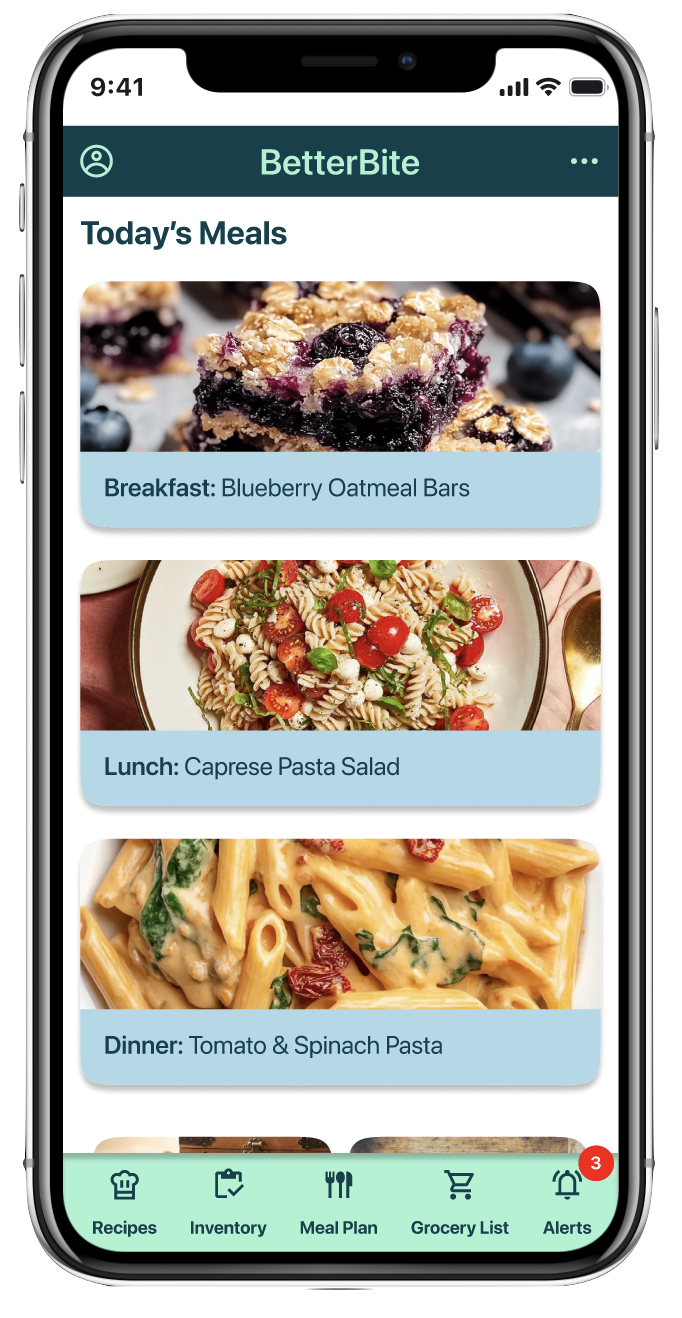
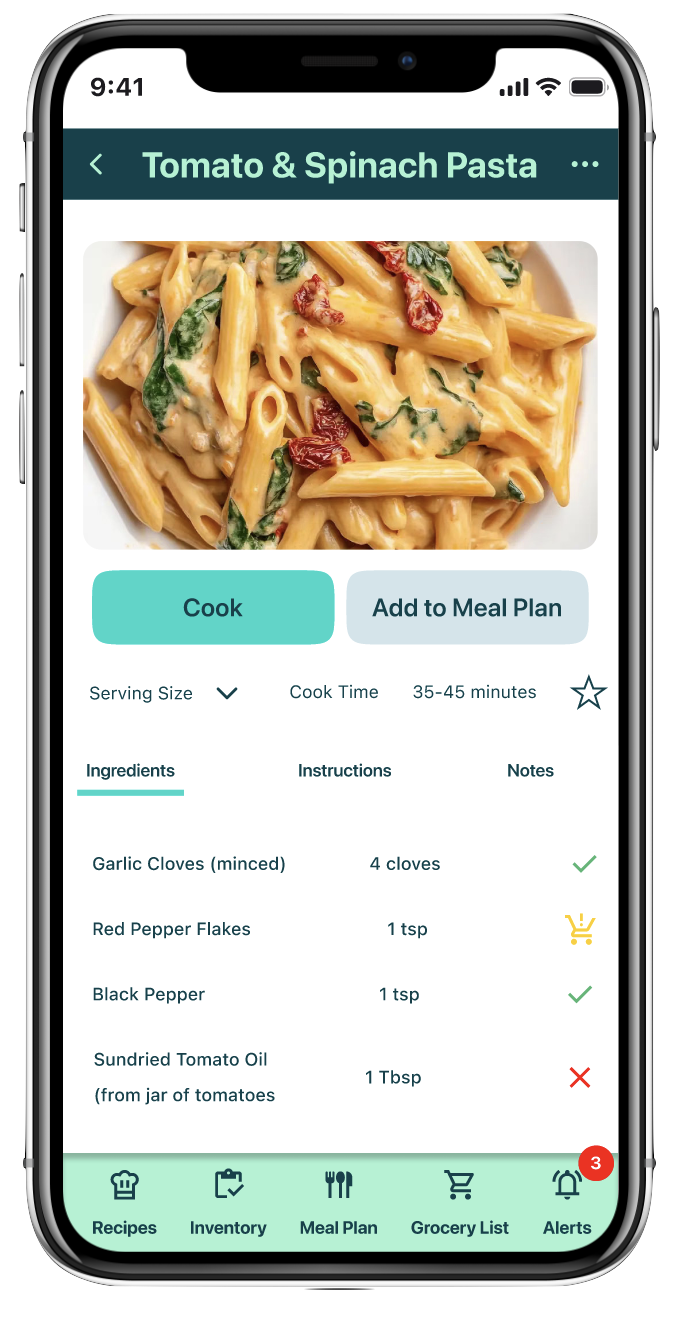
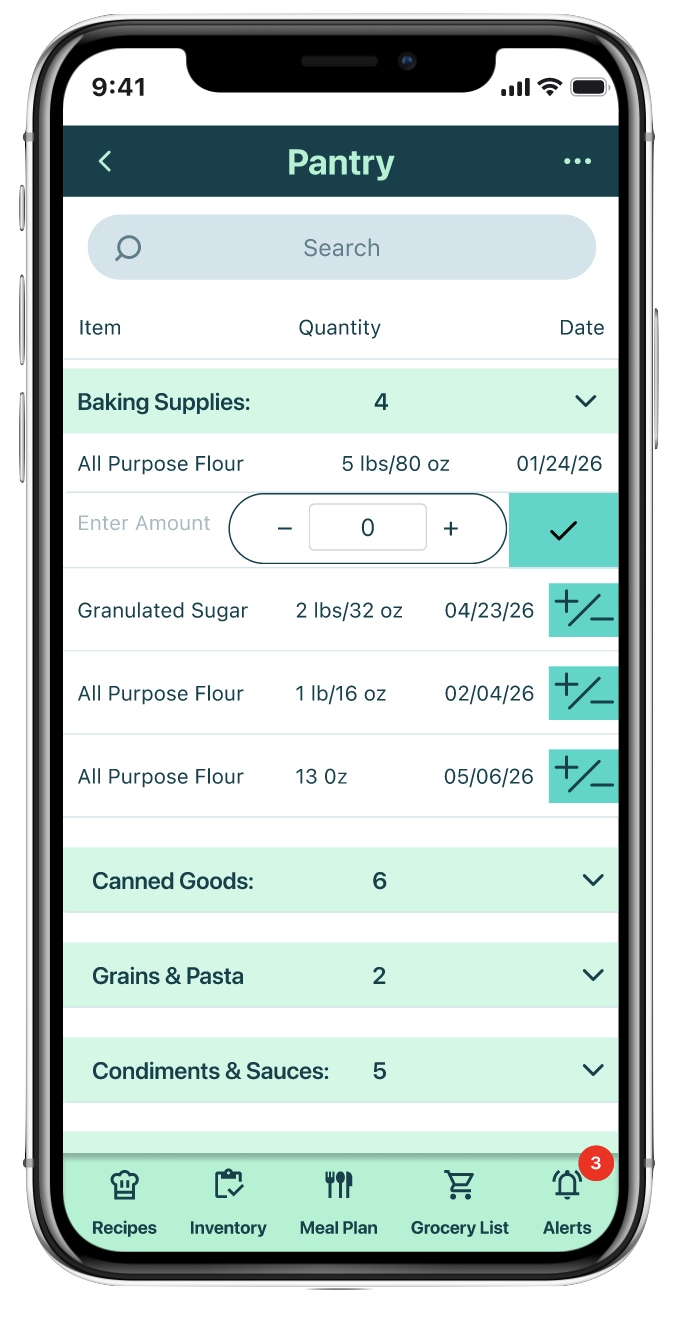
A Food Management & Meal Planning App Designed to Reduce Household Waste
The Overview
Busy families and home cooks struggle with disorganized meal planning and rising grocery costs, leading to wasted food, lost money, and daily stress.
Food waste isn’t simply a logistics problem it is emotional. Users feel guilt, frustration, and overwhelm when ingredients expire or duplicate purchases are made. Existing solutions fail to connect recipes, inventory, and grocery planning into one intuitive system.
Role:
UX Researcher & Product Designer
Duration: 12 weeks
Project Type: Solo Project - Springboard UI/UX Career Track
SolutionFlexibility Over Rigid Planning
Adaptive meal planning that adjusts when schedules or ingredients change
Recipe suggestions based on real-time inventory
Swap options for quick plan changes
Mental Load Drives Waste
Automated inventory tracking and expiration alerts to reduce memory reliance
Smart recipe suggestions that prioritize ingredients nearing expiration
Unified grocery and pantry system to eliminate duplicate purchases and scattered lists
Desire for One Connected System
Unified dashboard connecting recipes, inventory, and grocery planning
Real-time syncing between pantry items and shopping needs
Seamless workflow from planning to cooking with automatic inventory updates
Interview findings indicate families waste less food when using a personalized, all-in-one platform for recipes, inventory, meal planning, and grocery lists.
Key Benefits
25–40% less food discarded
$100–$125/month saved
Streamline shopping & meal prep to save on time and Stress
Source: MITRE-Gallup National Food Waste Survey with the EPA, 2023
ResearchLets Dig Deeper into the Problem
User Interviews + Competitive Analysis
While I had personal experience managing food and reducing waste, I recognized that my habits and challenges might not represent all users. To better understand real needs, I conducted eight user interviews with home cooks and families, exploring their food management routines, frustrations, and pain points.
Additionally, given the competitive landscape of meal planning and inventory apps, I analyzed four leading platforms to identify trends, gaps, and opportunities to improve BetterBite’s functionality and user experience.
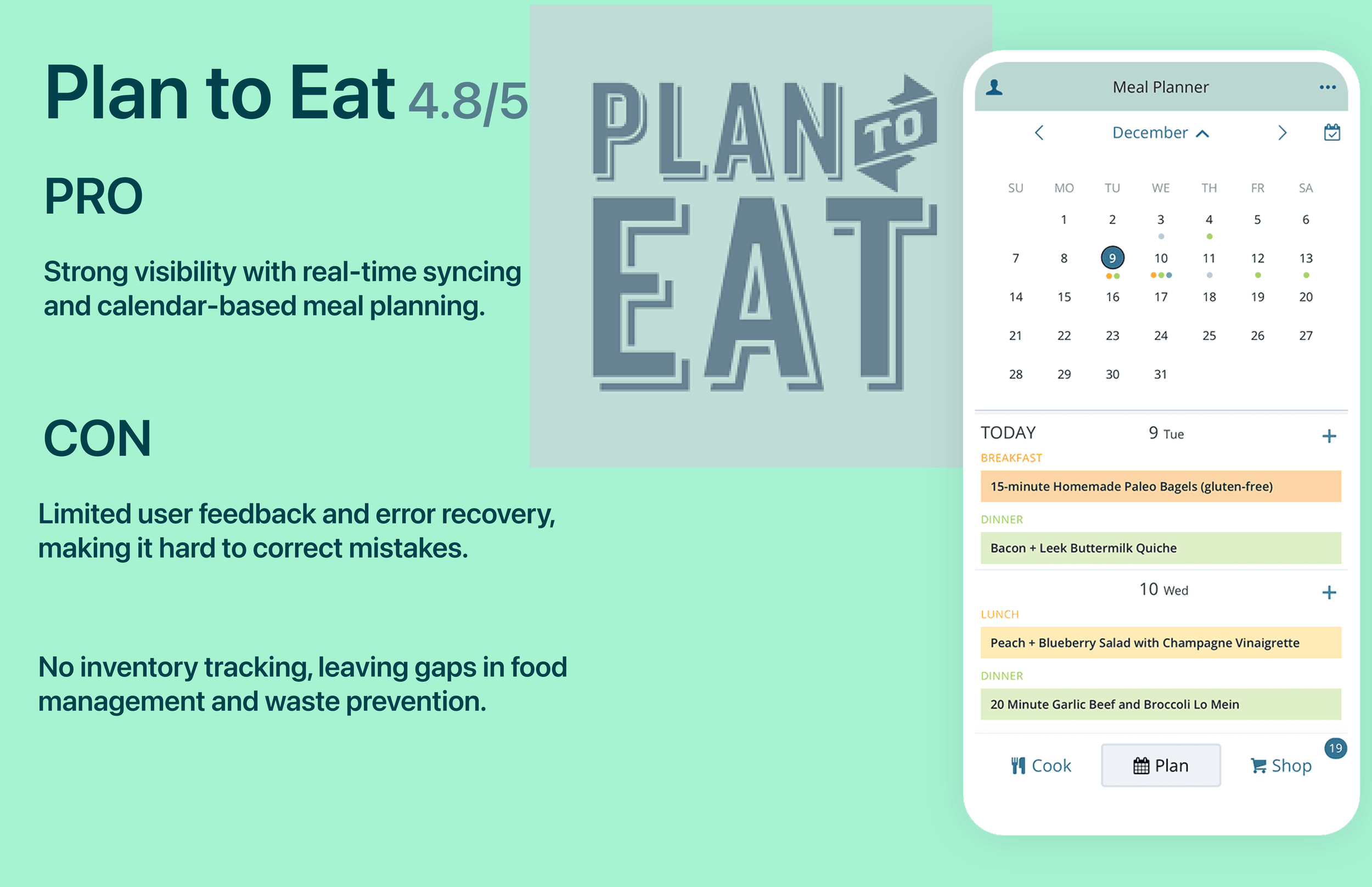
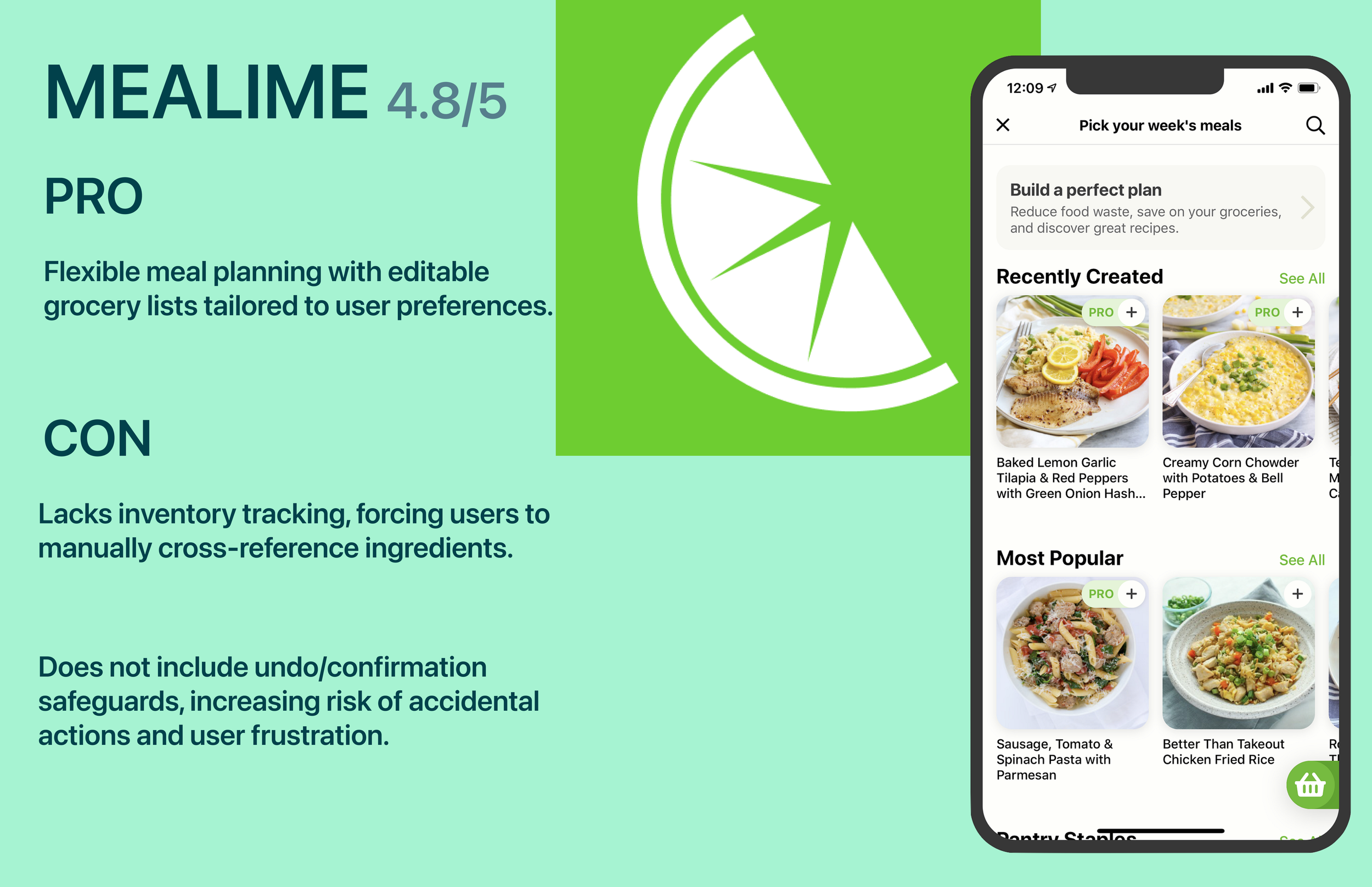
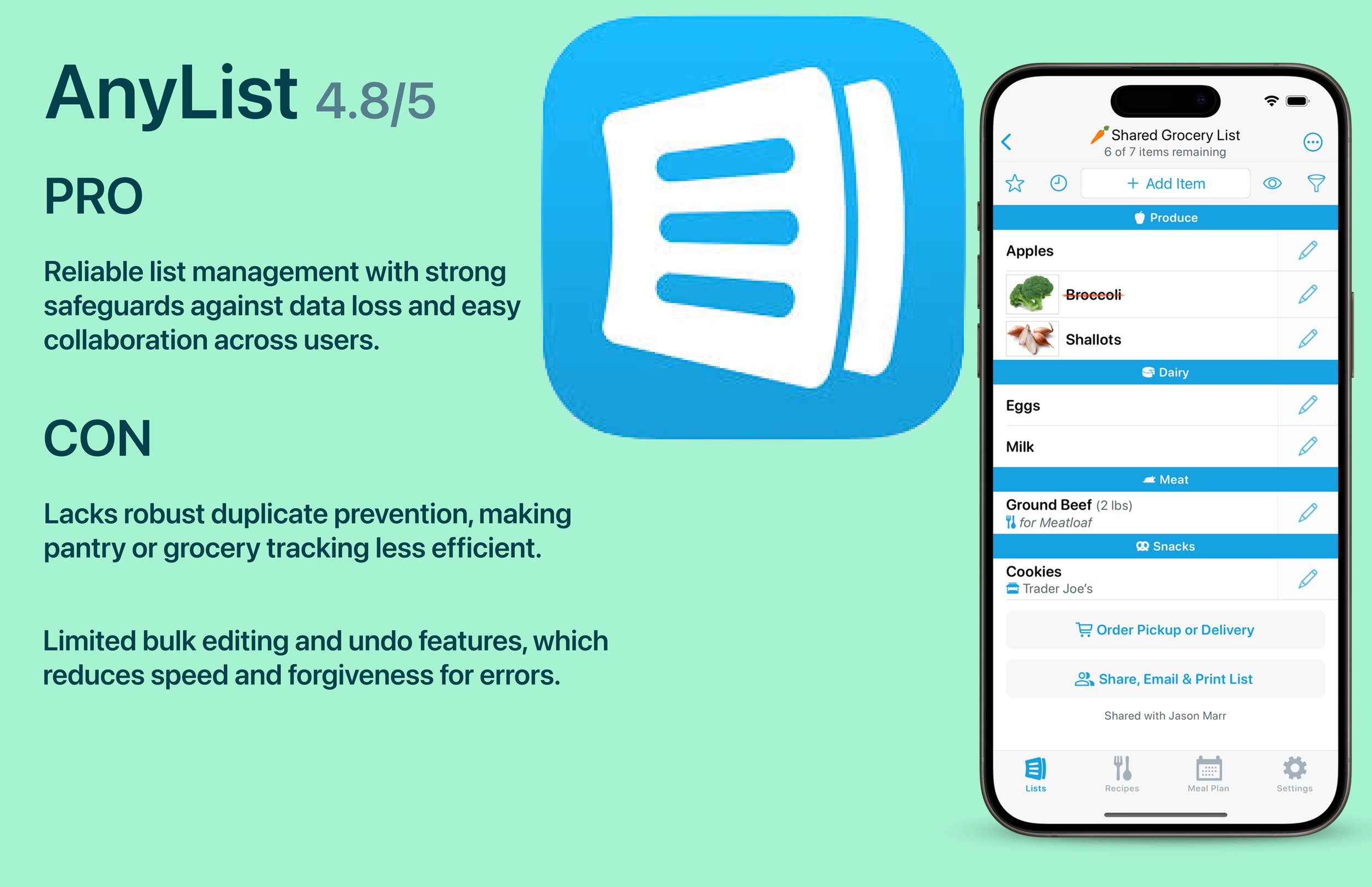
Personalized all-in-one platforms like BetterBite help families reduce food waste by 25–40%, save $100–$125 per month, and streamline shopping and meal prep to reduce time and stress.
“This statistic from USDA/EPA. highlights the impact of accountability on user engagement. Examining competitor apps, the highest-ranked app, Flora, succeeds in part due to its strong accountability features, an element largely absent in other apps. Similarly, I observed that users often rely on external cues or systems to stay consistent with their routines. While this insight suggested a potential design opportunity I continued exploring user research with an open mind to ensure the solution addressed real needs comprehensively.”
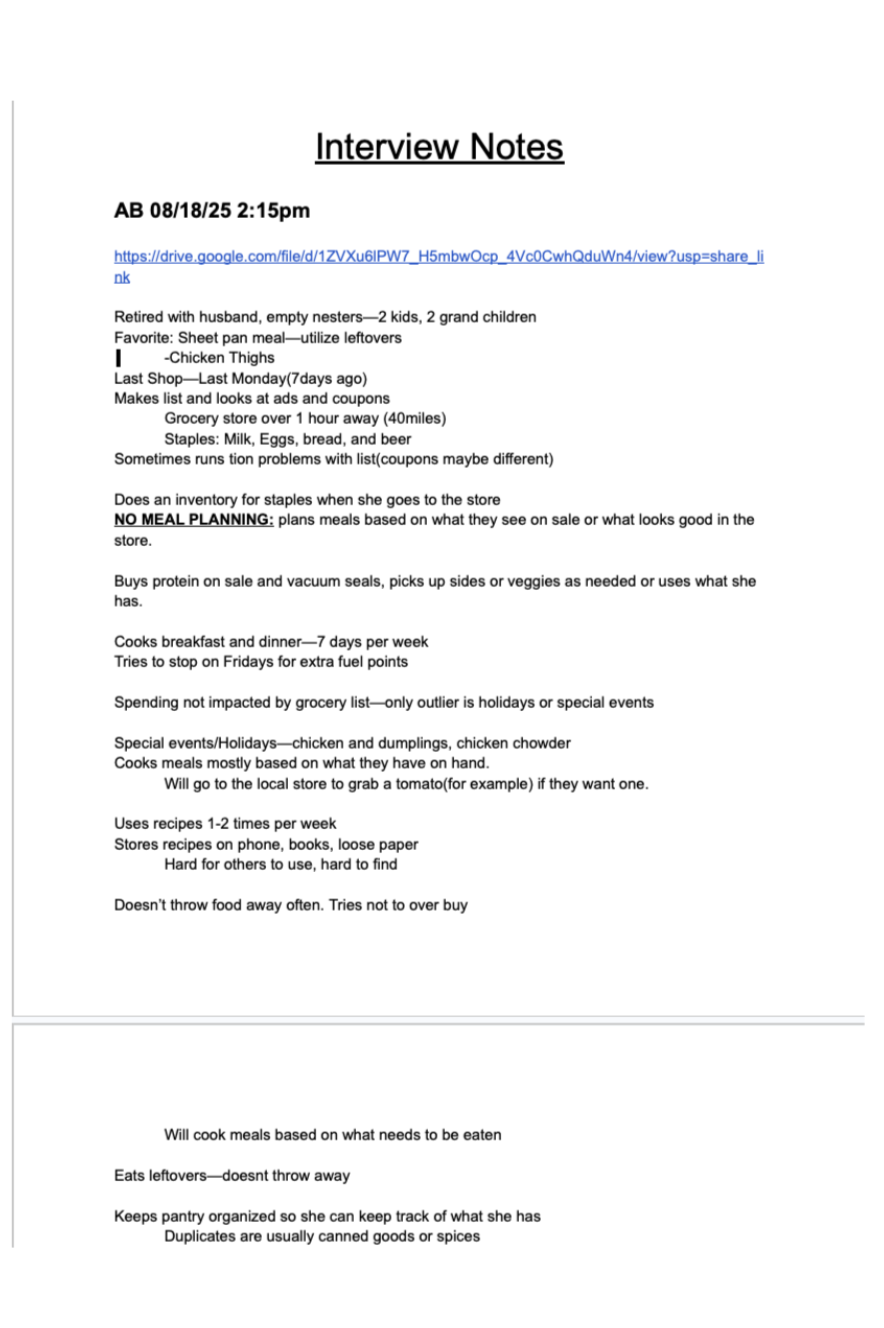
Analysis (affinity maps)
After analyzing 270+ data points through affinity mapping, I identified six core insights and three key clusters. These findings shaped the How Might We statements and guided ideation, ensuring solutions were rooted in real user behaviors and needs.
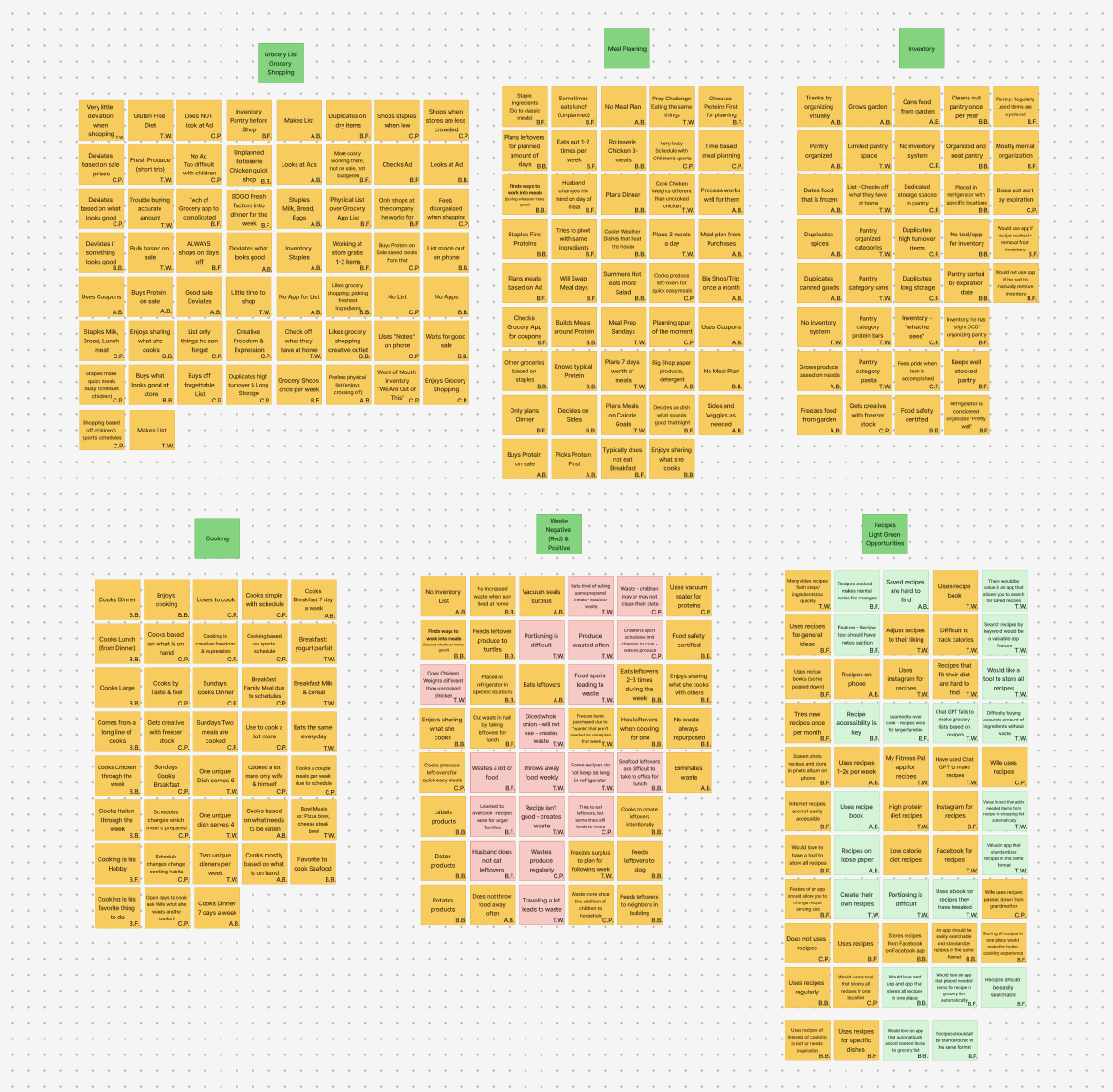
Theme 1: Flexibility Over Rigid Planning
Home cooking is dynamic and schedule-driven, not fixed. People need systems that adapt when plans change rather than forcing strict meal plans.
Theme 2: Mental Load Drives Waste
Food waste isn’t from lack of care, but from juggling time, memory, and changing routines—especially with produce, leftovers, and busy lives.
Theme 3: Desire for One Connected System
Users want a single, low-friction place where recipes, inventory, and shopping work together automatically to save time and reduce stress.
Insights
Research across 5 households (270+ data points) with 6 core insights and 3 core themes, revealed that families default to quick, low-effort decisions when meal planning feels overwhelming. While they care about reducing waste and saving money, they lack a simple, structured system—positioning BetterBite as a solution to reduce mental load through a streamlined, intuitive experience.
How Might We…
Help busy home cooks feel more in control of their weekly meals by keeping recipes, pantry items, and grocery needs in one simple, organized system that reduces stress and food waste?
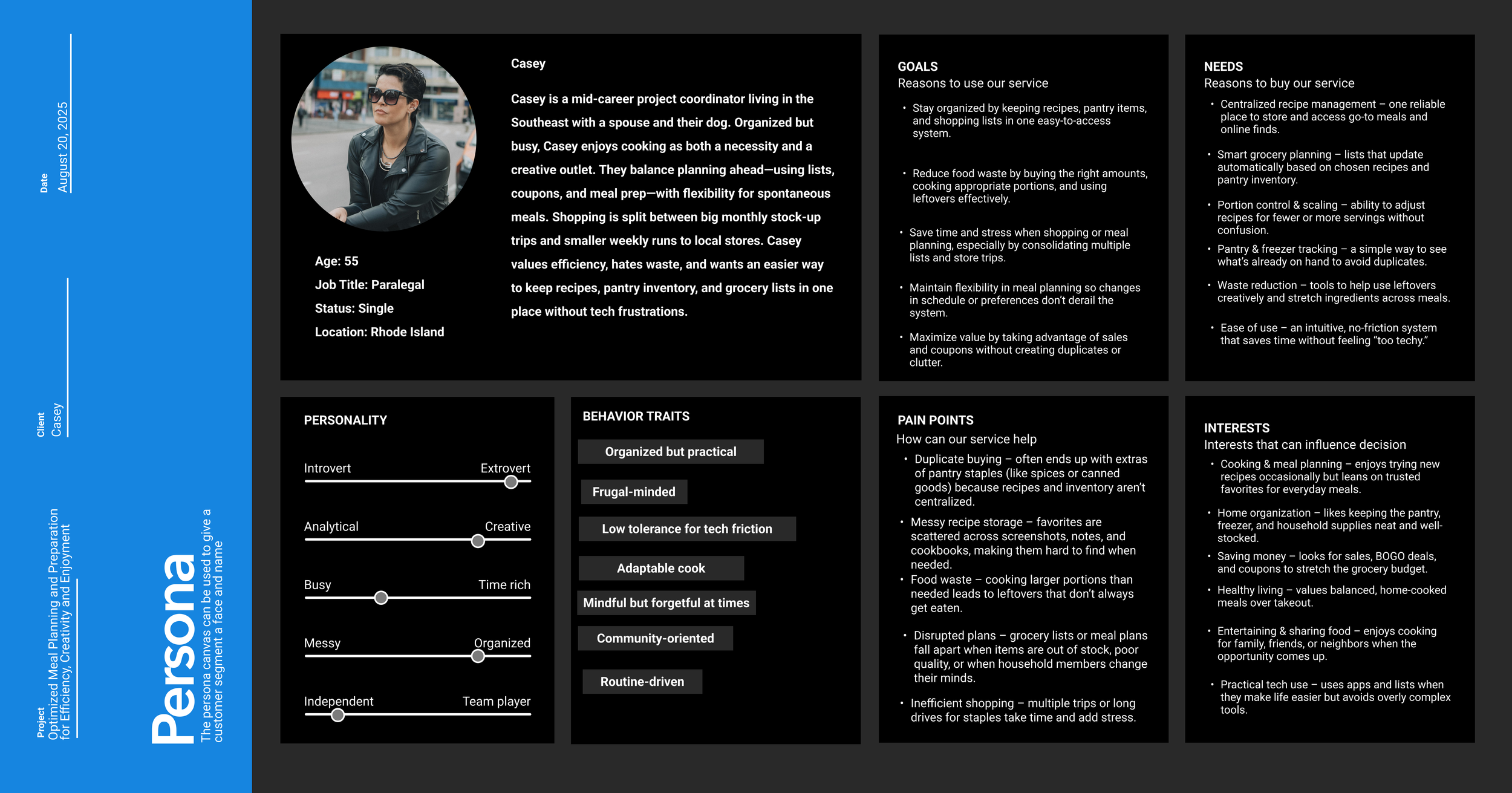
The Main Personas
“ I'm not exactly a creative person, but in the kitchen, that’s where my creativity comes out.”
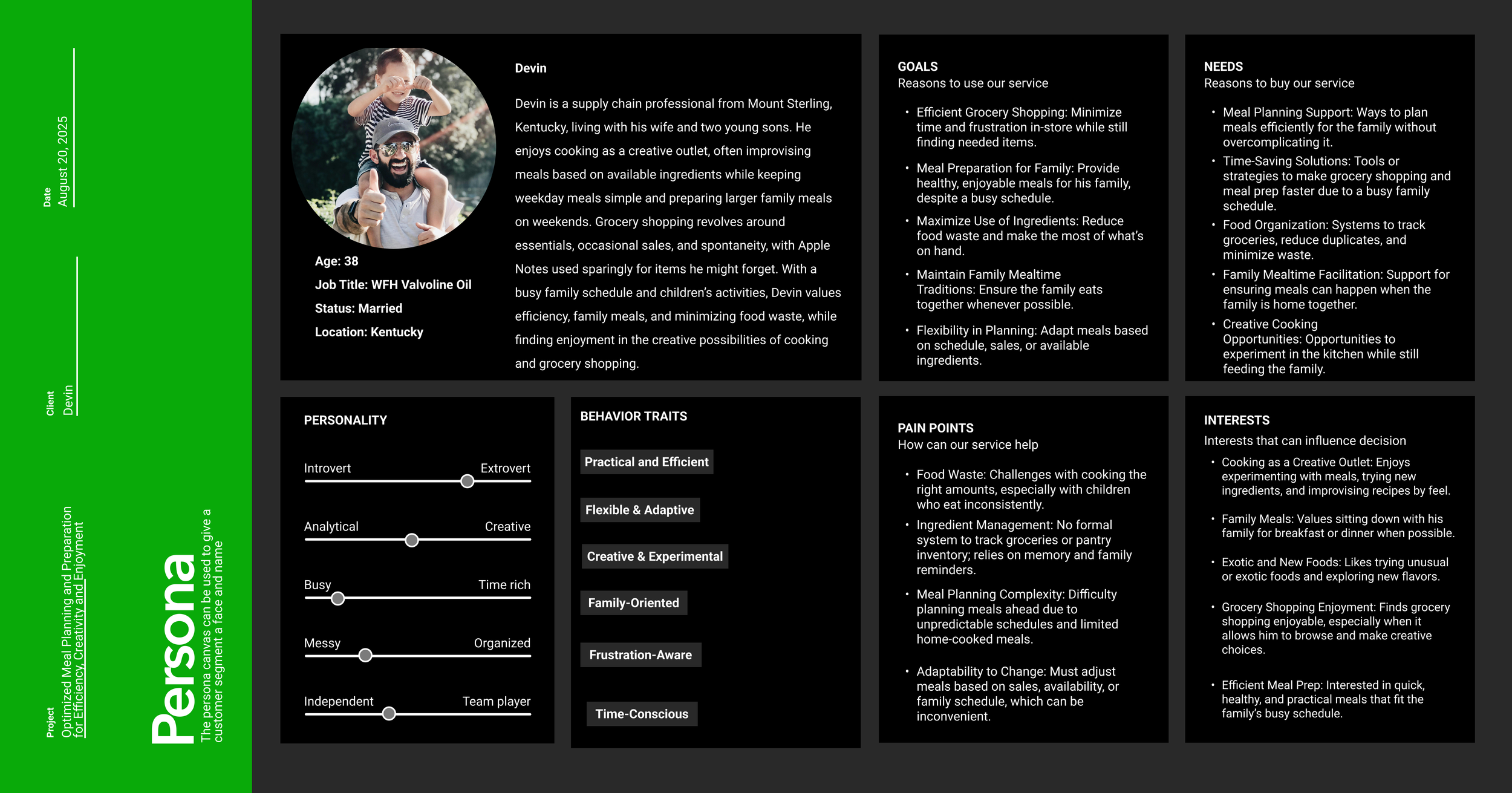
“We spend so much time planning and buying food, only to waste it. I just want one simple, accurate place for my recipes and lists that helps me plan, adjust, and waste less—without making it complicated.”
Design
Initial Ideas + A New Direction
After synthesizing user insights, I explored multiple solution directions and evaluated them based on accessibility, real-world impact, and everyday use. The findings clearly favored an intuitive mobile app over an AR/VR concept. I therefore focused on a streamlined app experience, ensuring BetterBite remains practical, scalable, and seamlessly integrated into families’ daily routines.
Original Idea
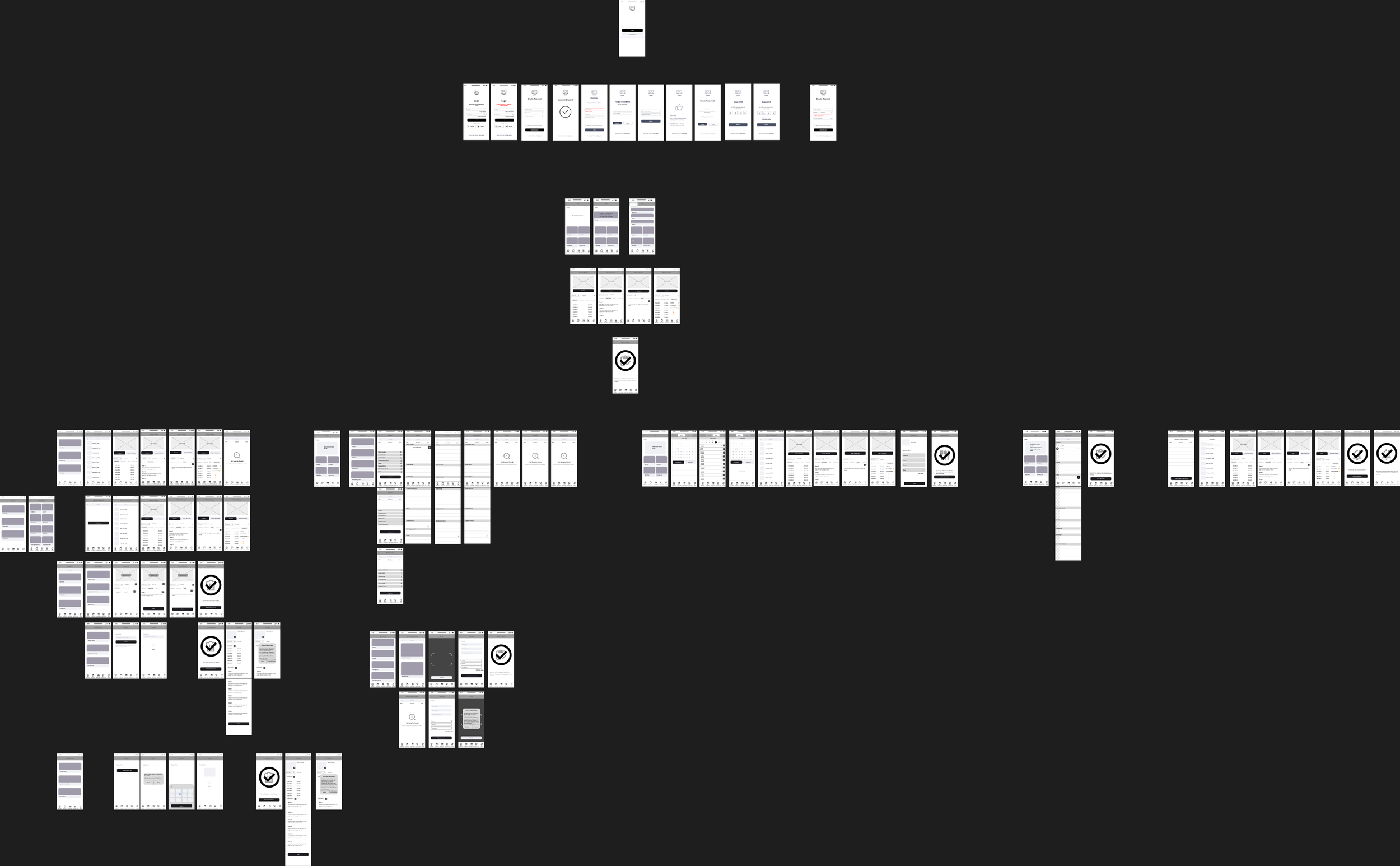
Previous Test + Suggestion for Improvement
User testing led to four key improvements: a secondary expiration alert to increase visibility and reduce waste, a unified inventory and grocery interface to eliminate tab-switching friction, a merge confirmation pop-up to prevent duplicate items and maintain accuracy, and built-in quantity adjustment controls to improve tracking precision and planning confidence.
Major improvements in my design
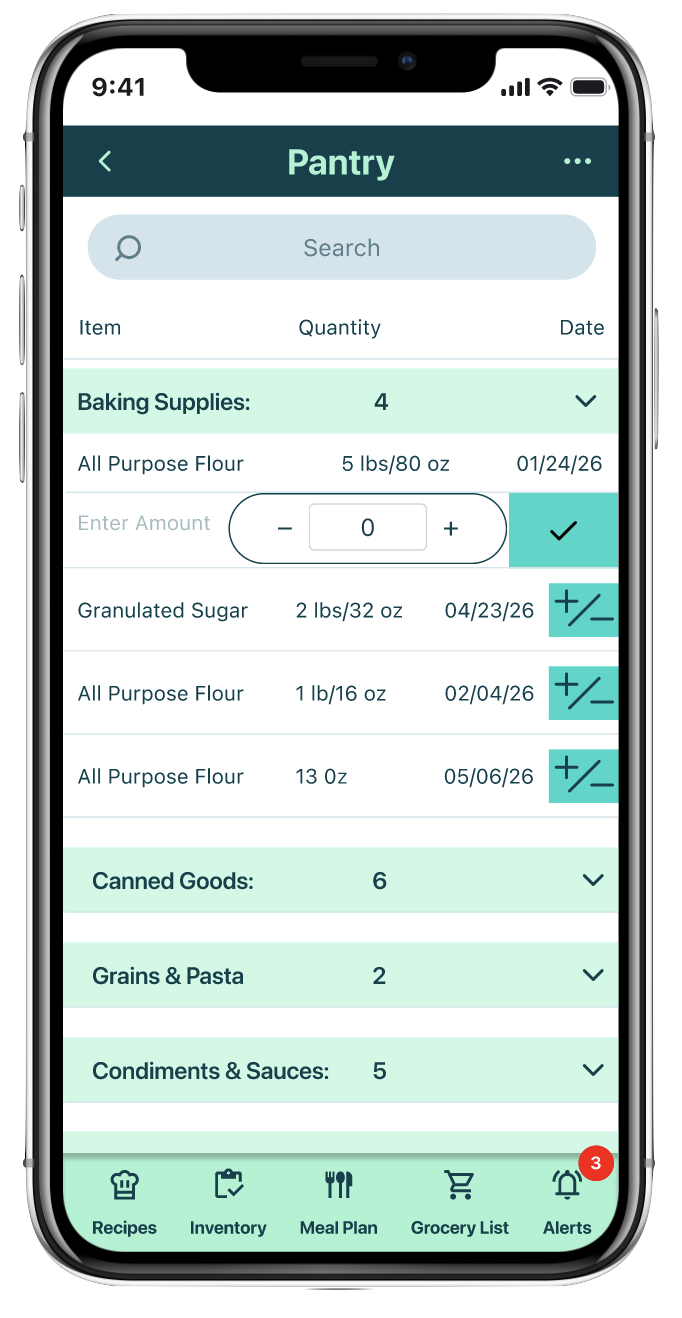
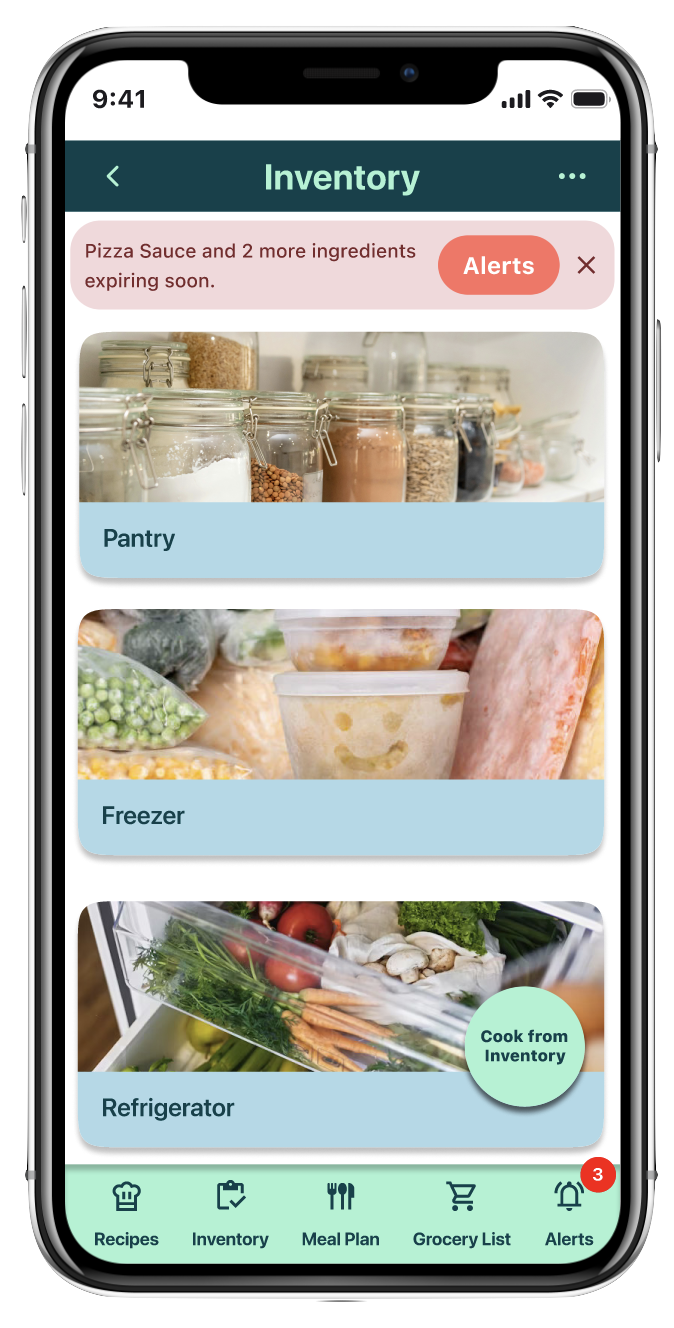
Enhanced Expiration Visibility: for Food waste is a big problem: a secondary expiration alert to increase visibility and reduce waste
A Unified Inventory & Grocery Experience because inventory tracking reduces waste: a unified inventory and grocery interface to eliminate tab switching friction
Duplicate Prevention via Merge Confirmation, Accurate inventory saves money and planning time: a merge confirmation pop-up to prevent duplicate items and maintain accuracy
Precise Quantity Controls for better planning improves user Experience and behaviors: built in quantity adjustment controls to improve tracking precision and planning confidence.
Together, these enhancements create a seamless system that supports flexible meal planning, prevents duplicate purchases, and reduces food waste.
The Final Screens
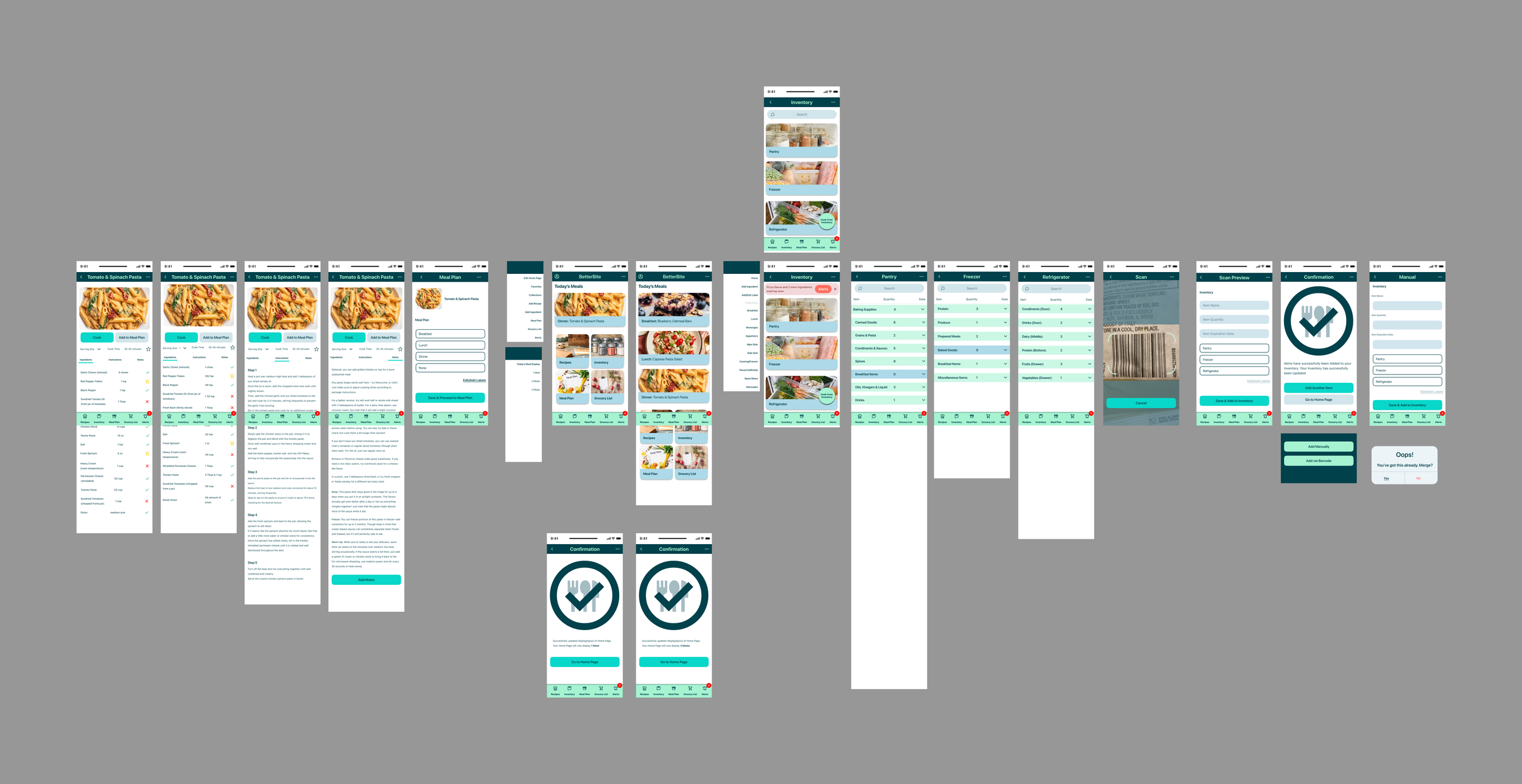
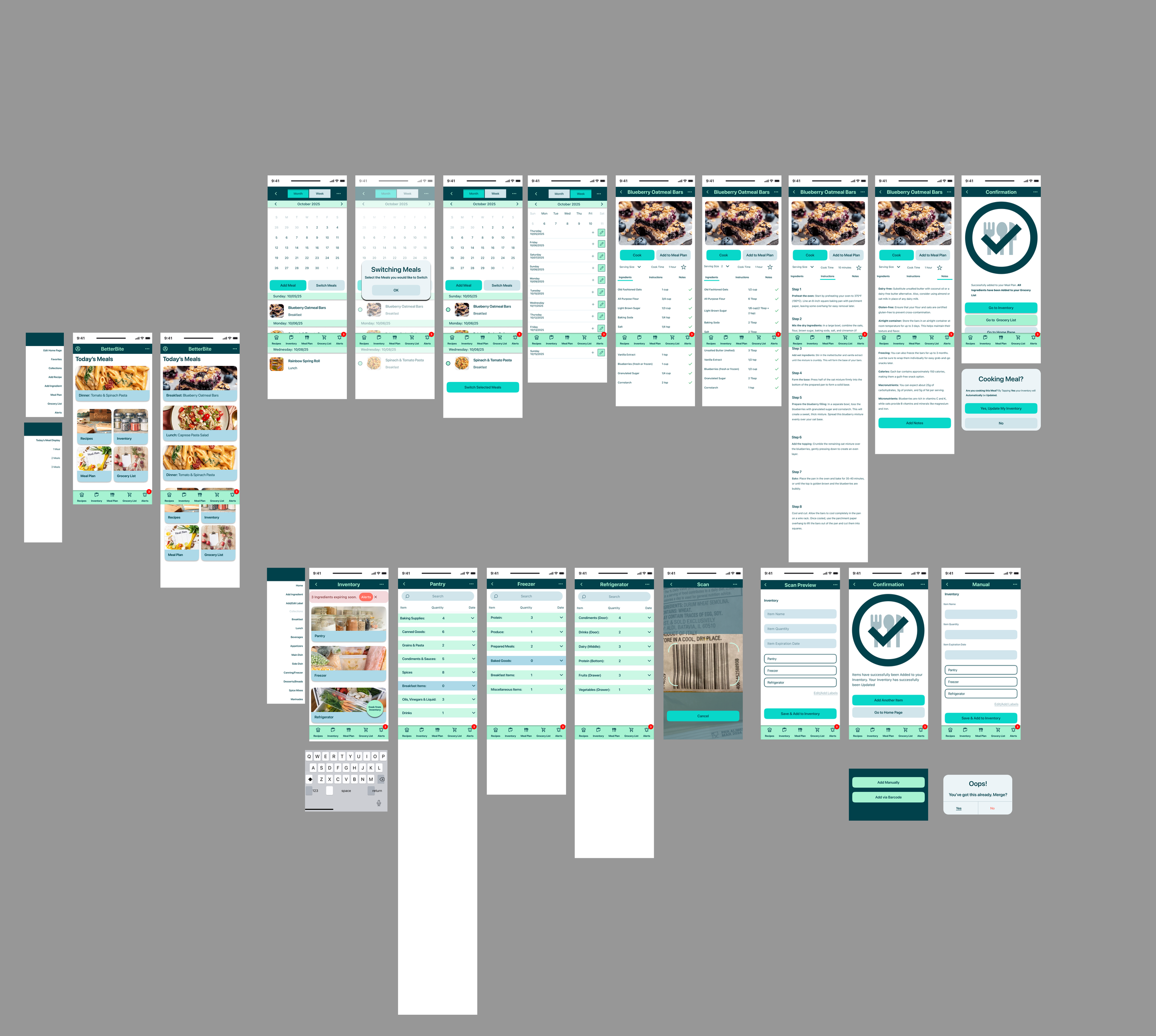
Add Ingredients to Inventory
Easily Track and Update What’s in Your Kitchen
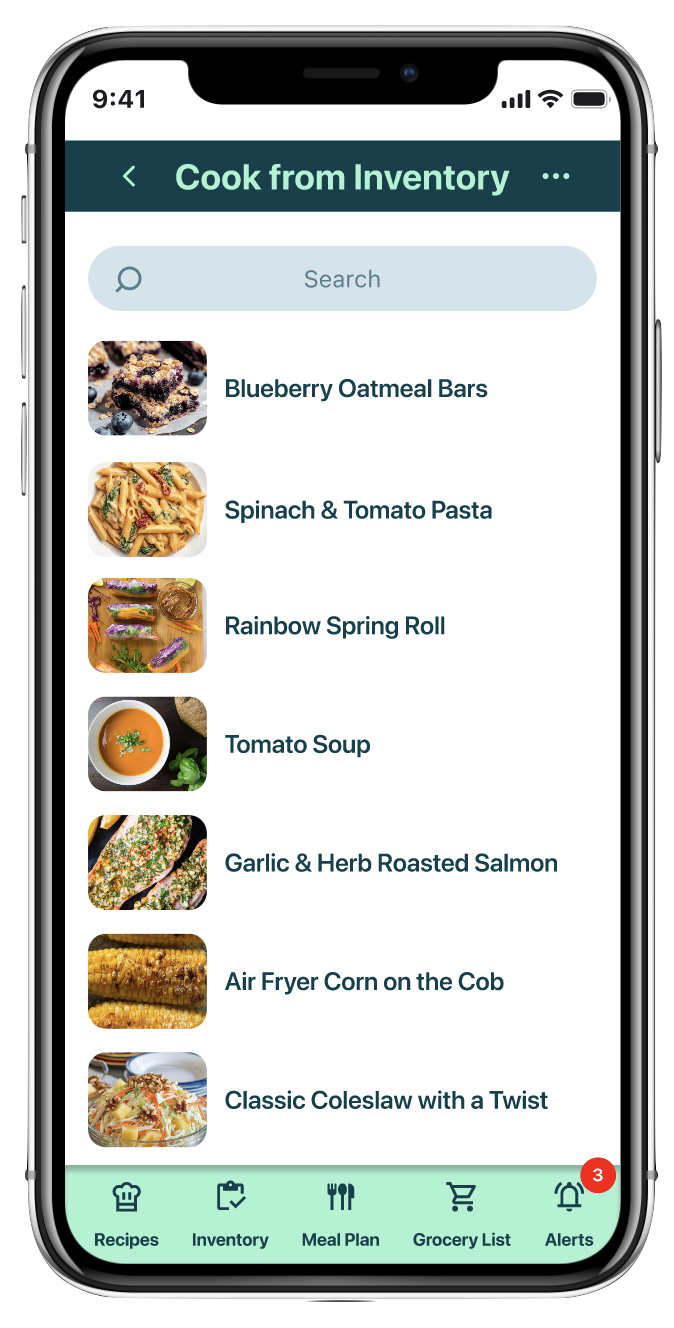
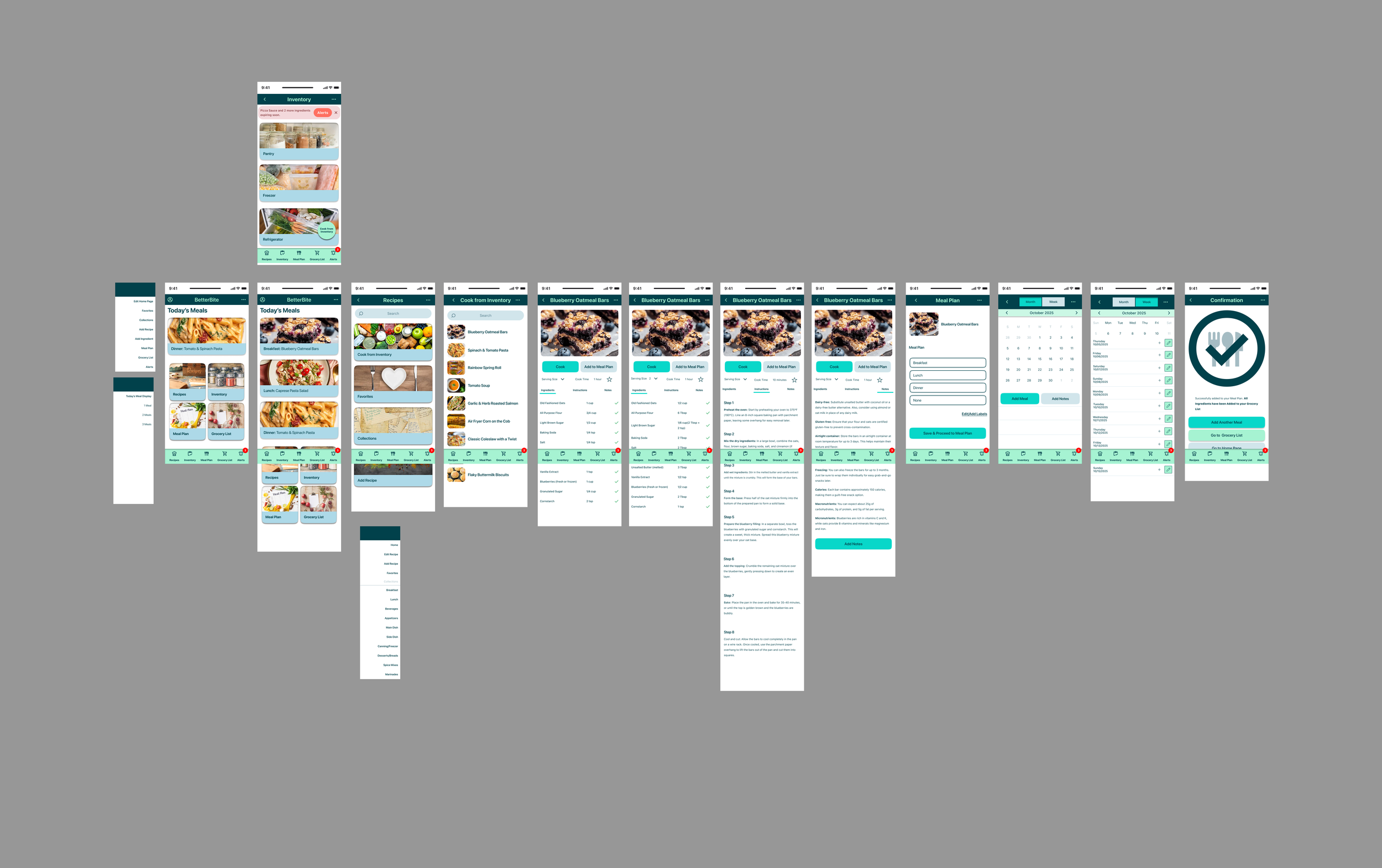
Find a Recipe Using What You Have
Turn Your Current Ingredients into Meal Ideas Instantly
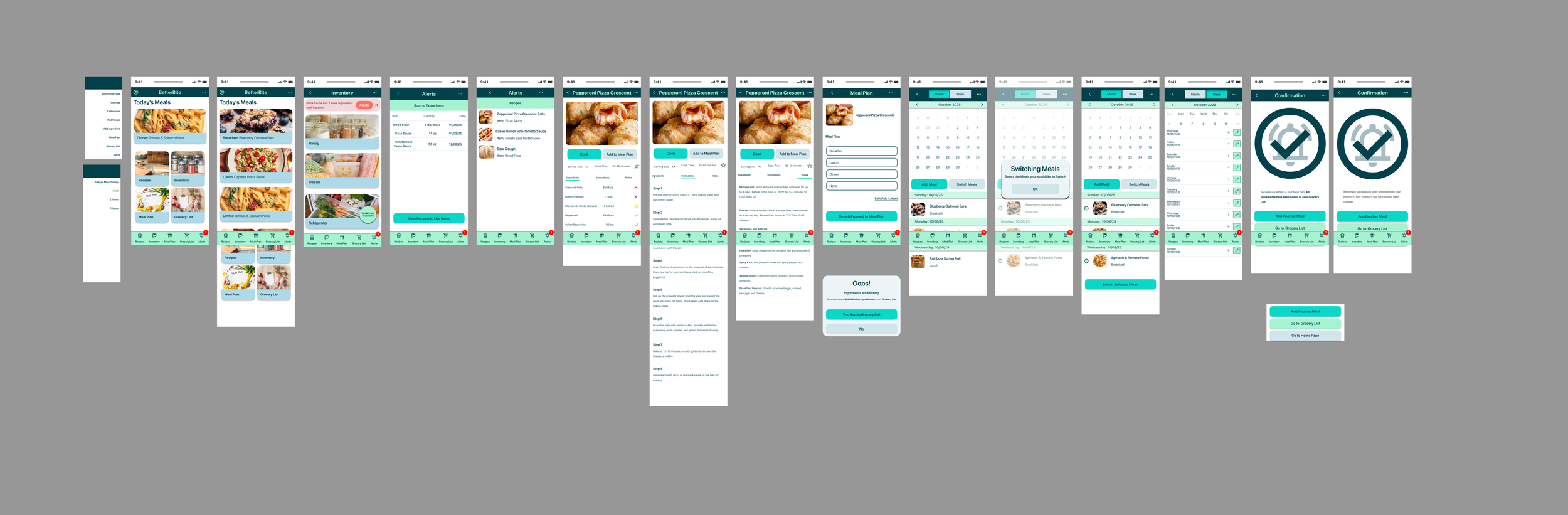
Use an Expiring Ingredient
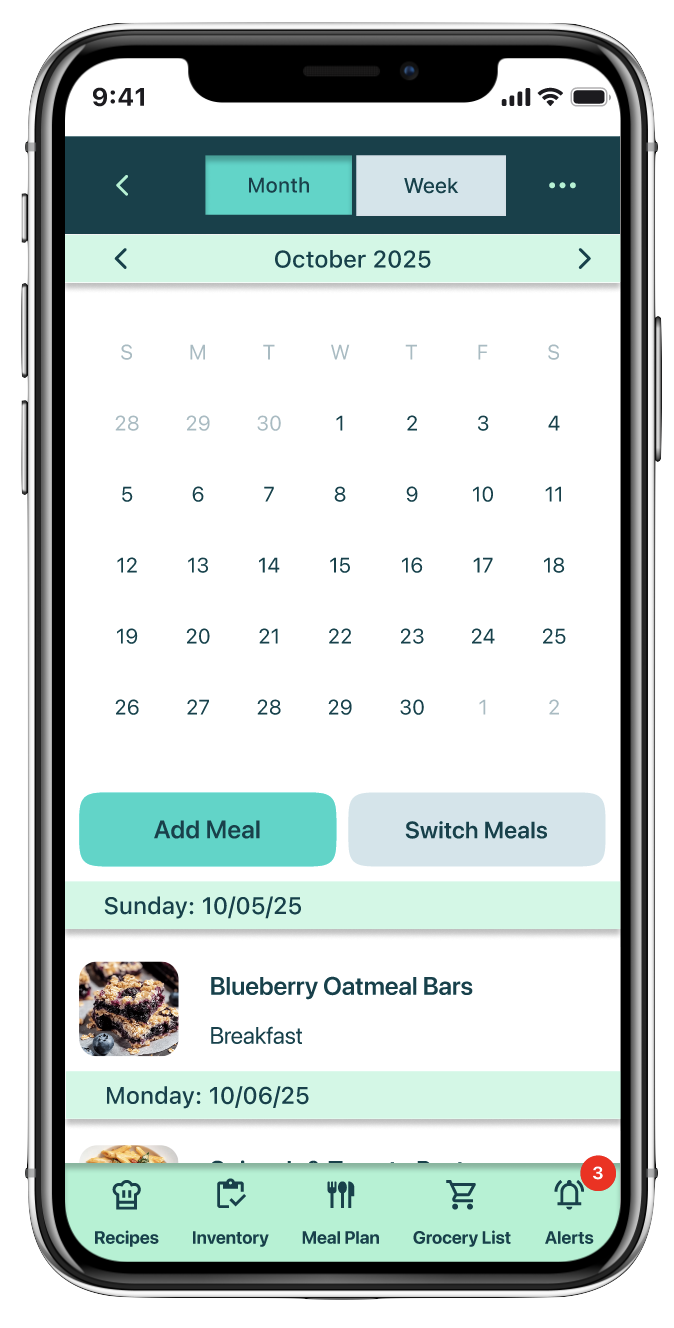
Organize Your Week with Flexible, Stress-Free Meal Planning
Update Inventory
Automatically Adjust Your Inventory
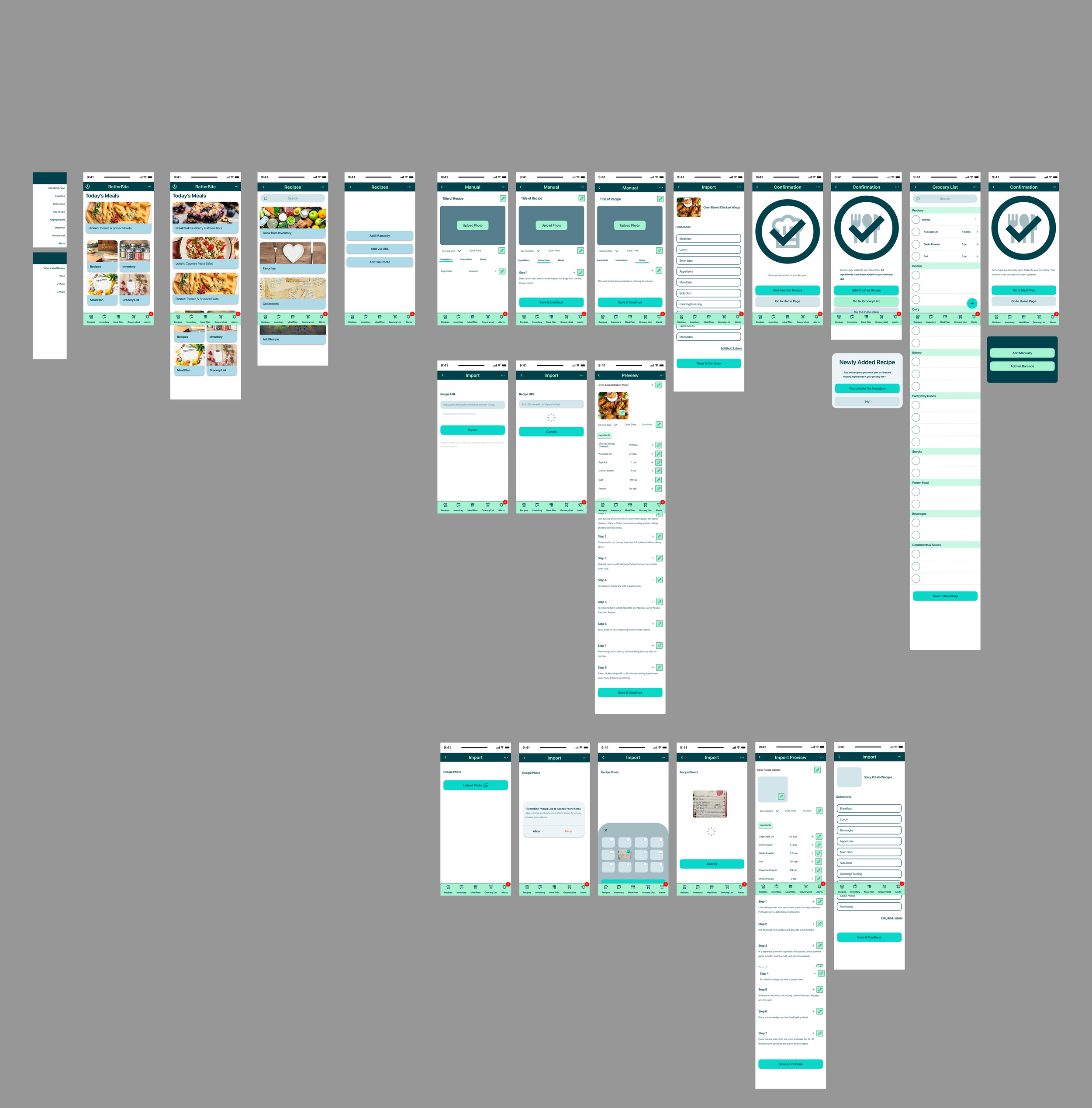
Add or Save a Recipe
Easily store your favorite recipes for quick access anytime.
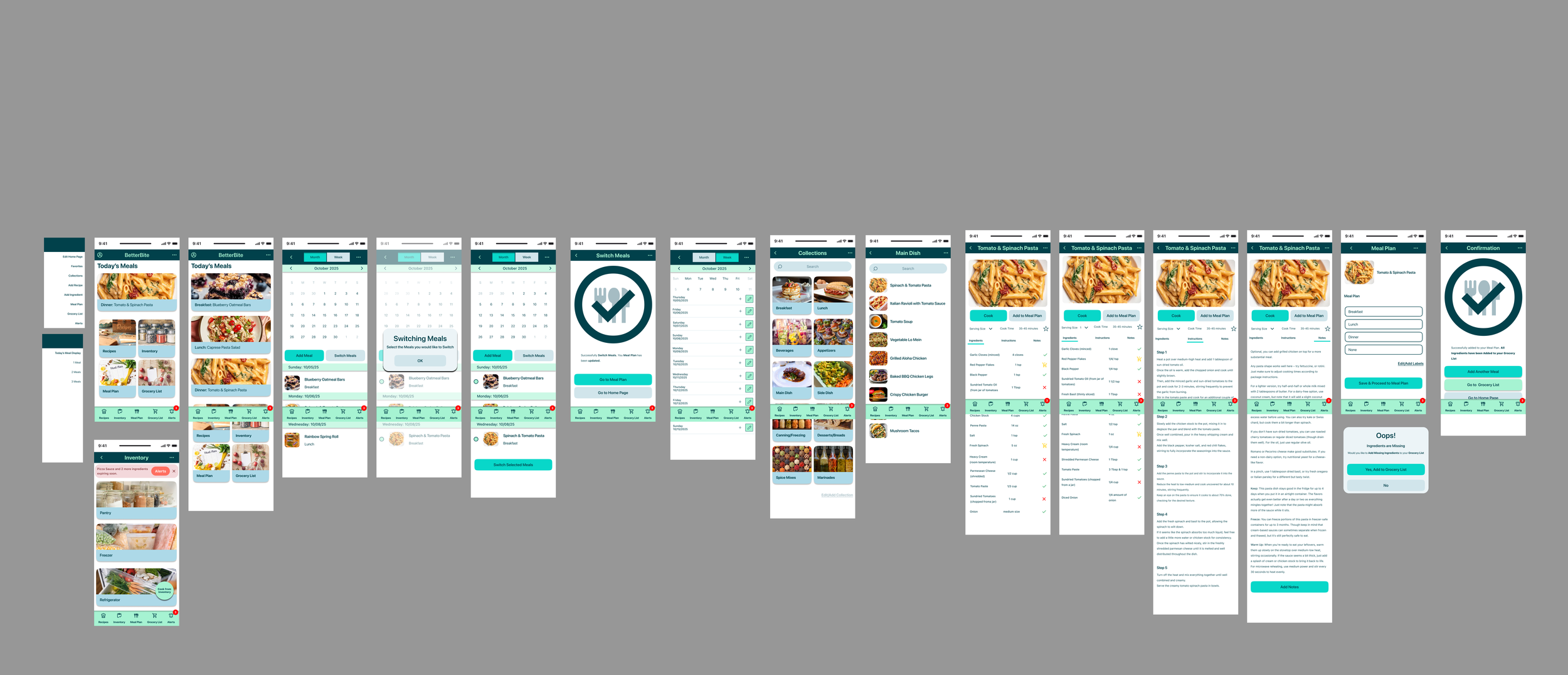
Plan a Meal
Organize Your Week with Flexible, Stress-Free Meal Planning
Style Guide
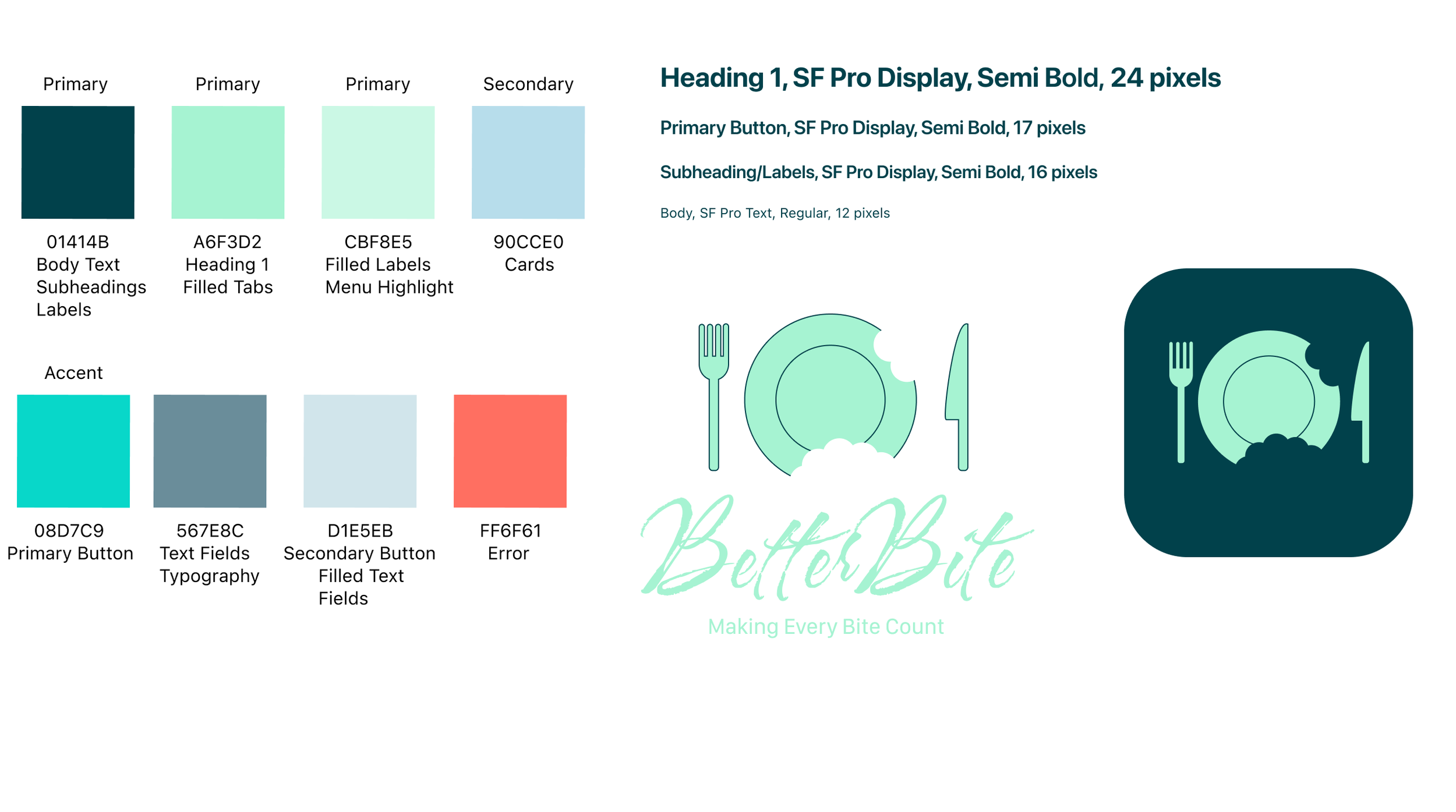
“I chose this style guide to reflect freshness, clarity, and calm control — the emotional foundation of BetterBite.
The deep teal establishes trust and reliability, reinforcing accurate inventory tracking, while the soft mint and sage tones evoke freshness and sustainability. The brighter teal accent draws attention to key actions, and the coral error color provides clear but approachable feedback.
SF Pro was selected for its clarity and native familiarity, making the experience feel intuitive and easy to scan — especially for busy users making quick decisions.
Overall, the rounded shapes and clean layout create a balance between warmth and structure, transforming food management from overwhelming and reactive into organized, confident, and intentional. “
What I’d Do Differently Next Time
Foundation is everything.
I spent a lot of time debating tab layouts and navigation patterns, when the bigger issue was that users were constantly switching between Ingredients and Grocery List tabs. By unifying them into a single experience, I aligned the app with how people naturally think about food, connecting what they have with what they need, which reduced friction, clarified the workflow, and made meal planning feel seamless.
Always seek feedback and question yourself.
I spent a lot of time debating tab layouts and navigation patterns, when the bigger issue was that users were constantly switching between Ingredients and Grocery List tabs. By unifying them into a single experience, I aligned the app with how people naturally think about food, connecting what they have with what they need, which reduced friction, clarified the workflow, and made meal planning feel seamless.
Failure is part of learning.
Even now, after completing the project, I see areas I would refine. But each “misstep” was a learning opportunity, helping me iterate toward better solutions. By questioning everything and putting my best effort forward, I feel confident in the outcome I delivered at this stage of my UX journey.